
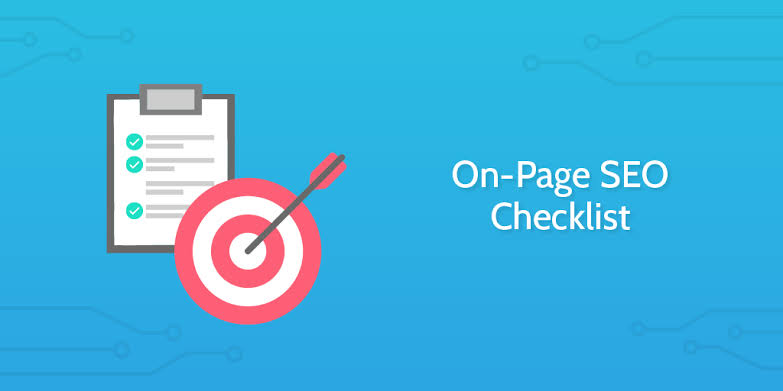
A strong SEO foundation starts with the page itself. From titles and headings to internal links, images, URLs, and search intent, this practical on-page SEO checklist covers the essential elements brands should review before publishing content.
The Complete On-Page SEO Checklist for Better Rankings
You can have excellent content and still miss important SEO opportunities if the page isn’t properly optimized.
On-page SEO focuses on the elements within a webpage that help search engines and users understand the content.
The good news is that many of these elements are completely within your control.
Here is a practical checklist to review before publishing an important page or article.
1. Start With Search Intent
Before optimizing anything, understand what the user actually wants.
Search the target topic and look at the type of results appearing.
Are they:
- Guides?
- Product pages?
- Service pages?
- Comparisons?
- Tutorials?
- Lists?
- News articles?
Your page should satisfy the intent behind the search.
If someone searches for a “how-to” guide, a purely promotional service page may not be the best match.
2. Write a Clear SEO Title
Your page title should communicate exactly what the page is about.
A strong title should be:
- Relevant
- Specific
- Easy to understand
- Naturally written
- Attractive enough to earn clicks
Avoid stuffing multiple keywords into the title.
For example:
Weak:
SEO Services SEO Agency Best SEO Services Company SEO Experts
Better:
SEO Services That Help Brands Build Sustainable Organic Growth
The second title communicates a clear value proposition.
3. Optimize the Meta Description
The meta description should summarize the page and encourage users to click.
It should naturally include the primary topic where appropriate.
For example:
“Learn how brands can improve organic visibility with practical SEO strategies covering content, search intent, technical SEO, and on-page optimization.”
Don’t treat the description as a keyword list.
Write it for people.
4. Use a Clean URL
Keep URLs short and descriptive.
For example:
/blog/on-page-seo-checklist/
is easier to understand than:
/blog/article?id=8392&category=seo
Avoid unnecessary parameters and excessive words.
5. Use One Clear H1
Every important page should have a clear primary heading.
The H1 should communicate the main topic of the page.
Then use H2 and H3 headings to structure supporting sections.
Example:
H1:
Complete On-Page SEO Checklist
H2:
Optimize Your Page Title
H2:
Improve Internal Linking
H3:
How Many Internal Links Should You Add?
This creates a logical content hierarchy.
6. Make Content Easy to Scan
Online readers rarely read every word from top to bottom.
Make content easier to scan with:
- Short paragraphs
- Subheadings
- Bullet points
- Numbered lists
- Bold emphasis
- Images
- Tables where appropriate
Good formatting improves the user experience.
7. Add Internal Links
Look for opportunities to link to relevant pages.
For example, an SEO article could link to:
- Content Marketing
- Digital Marketing Strategy
- Technical SEO
- SEO Services
Use descriptive anchor text.
Instead of:
“Click here.”
Use:
“Learn more about our SEO strategy.”
8. Optimize Images
Images should support the content rather than simply fill space.
Before uploading an image:
- Use an appropriate file format
- Compress large files
- Add descriptive alt text
- Use meaningful file names
- Avoid unnecessarily huge dimensions
For example:
Instead of:
IMG_4829.jpg
Use:
social-media-marketing-strategy.jpg
Image optimization can support both performance and accessibility.
9. Improve Page Speed
Large images, unnecessary scripts, excessive plugins, and poorly optimized code can slow down a page.
Review:
- Image sizes
- JavaScript
- CSS
- Third-party scripts
- Font loading
- Caching
- Server performance
A faster website creates a better experience for users.
10. Make the Page Mobile-Friendly
A page may look excellent on desktop and still provide a poor mobile experience.
Check:
- Font sizes
- Button sizes
- Navigation
- Image scaling
- Content width
- Spacing
- Forms
- Horizontal scrolling
Always test important pages on actual mobile devices where possible.
11. Use Structured Data Where Relevant
Structured data can help search engines better understand certain types of content.
Depending on the page, relevant structured data may include:
- Article
- Breadcrumb
- Organization
- Local Business
- Product
- FAQ
Only implement structured data that accurately represents the content.
12. Review Your Content Before Publishing
Before hitting publish, ask:
Does this answer the user’s question?
Is the information accurate?
Is anything unnecessarily repetitive?
Are the examples useful?
Are internal links relevant?
Is the page easy to read?
SEO optimization should improve the page, not make it feel robotic.
Final On-Page SEO Checklist
Before publishing, review:
- Search intent
- SEO title
- Meta description
- URL
- H1
- H2/H3 structure
- Keyword usage
- Content quality
- Internal links
- External references where appropriate
- Image optimization
- Alt text
- Mobile responsiveness
- Page speed
- Structured data
- Calls to action
Final Thoughts
On-page SEO isn’t about finding one magic optimization that suddenly makes a page rank.
It’s about getting many small things right.
When your content satisfies search intent, communicates clearly, loads efficiently, and provides a strong user experience, you’ve created a much stronger foundation for organic visibility.
Optimize for people first. Make it easy for search engines to understand what you’ve created